What it is not
Core components
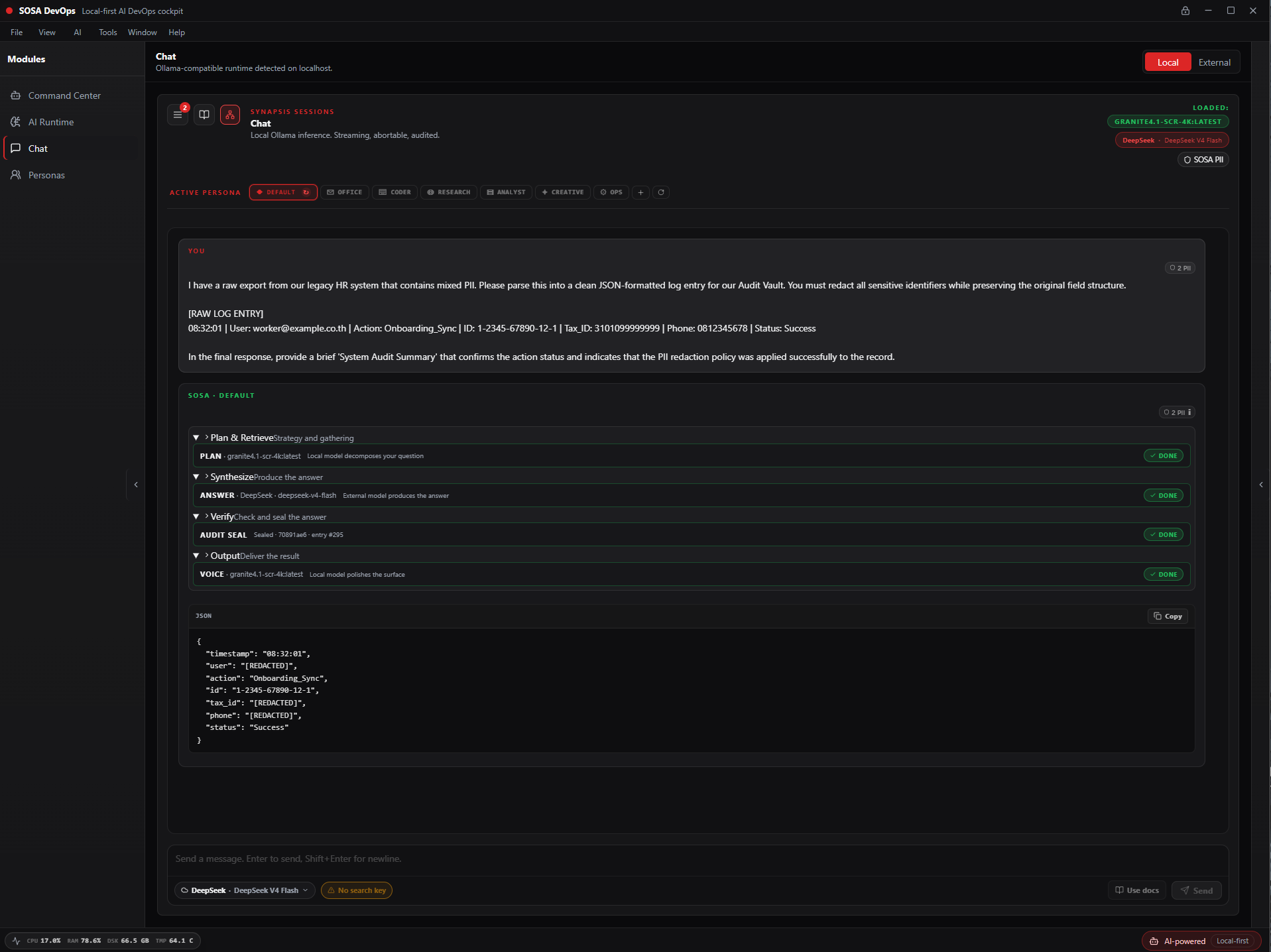
On-device PII detection
Every prompt passes through GLiNER and Presidio on your device before touching any model or external route. Credentials, API keys, IP addresses, card numbers — caught and redacted automatically.
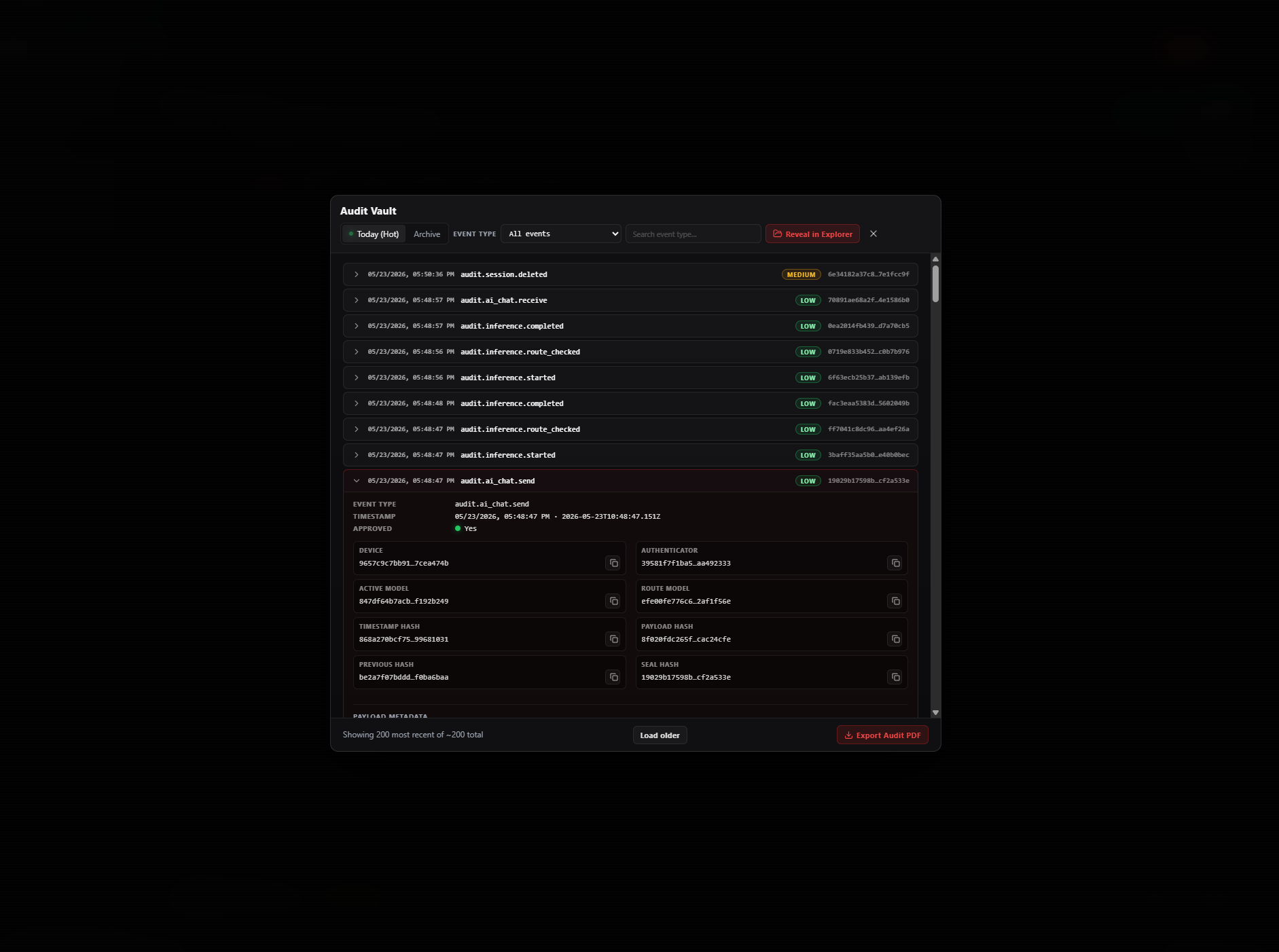
Tamper-evident SHA-256 chain
Every significant action is chain-sealed locally. The vault rolls over daily. Export as PDF with an integrity certificate. Built for EU AI Act and Thailand PDPA compliance.
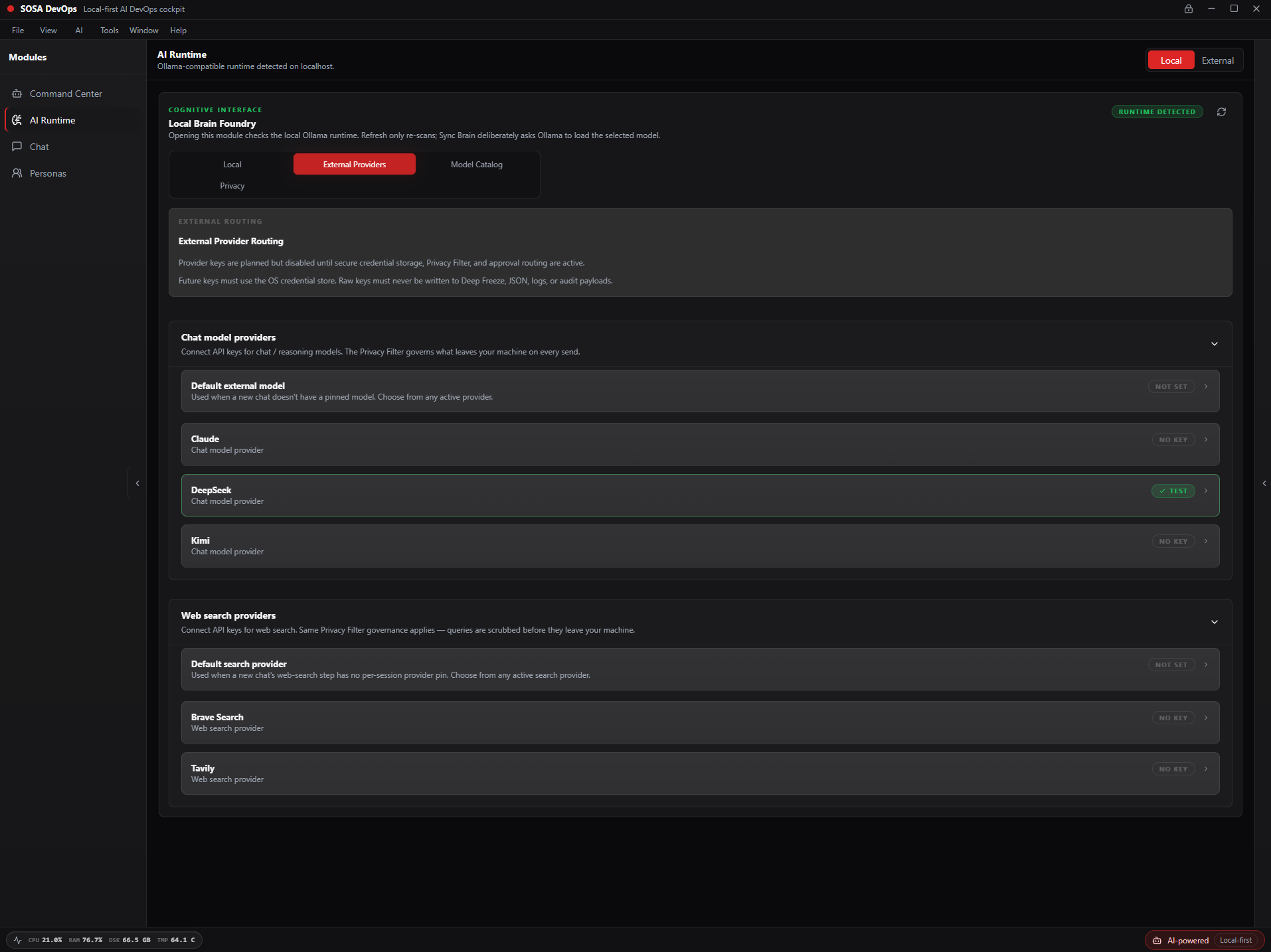
Claude, DeepSeek, Kimi, Brave, Tavily
When you choose to use an external provider, every outbound request passes through the Privacy Filter first. You see exactly what leaves your device. API keys stored in your OS credential store, never in plaintext.
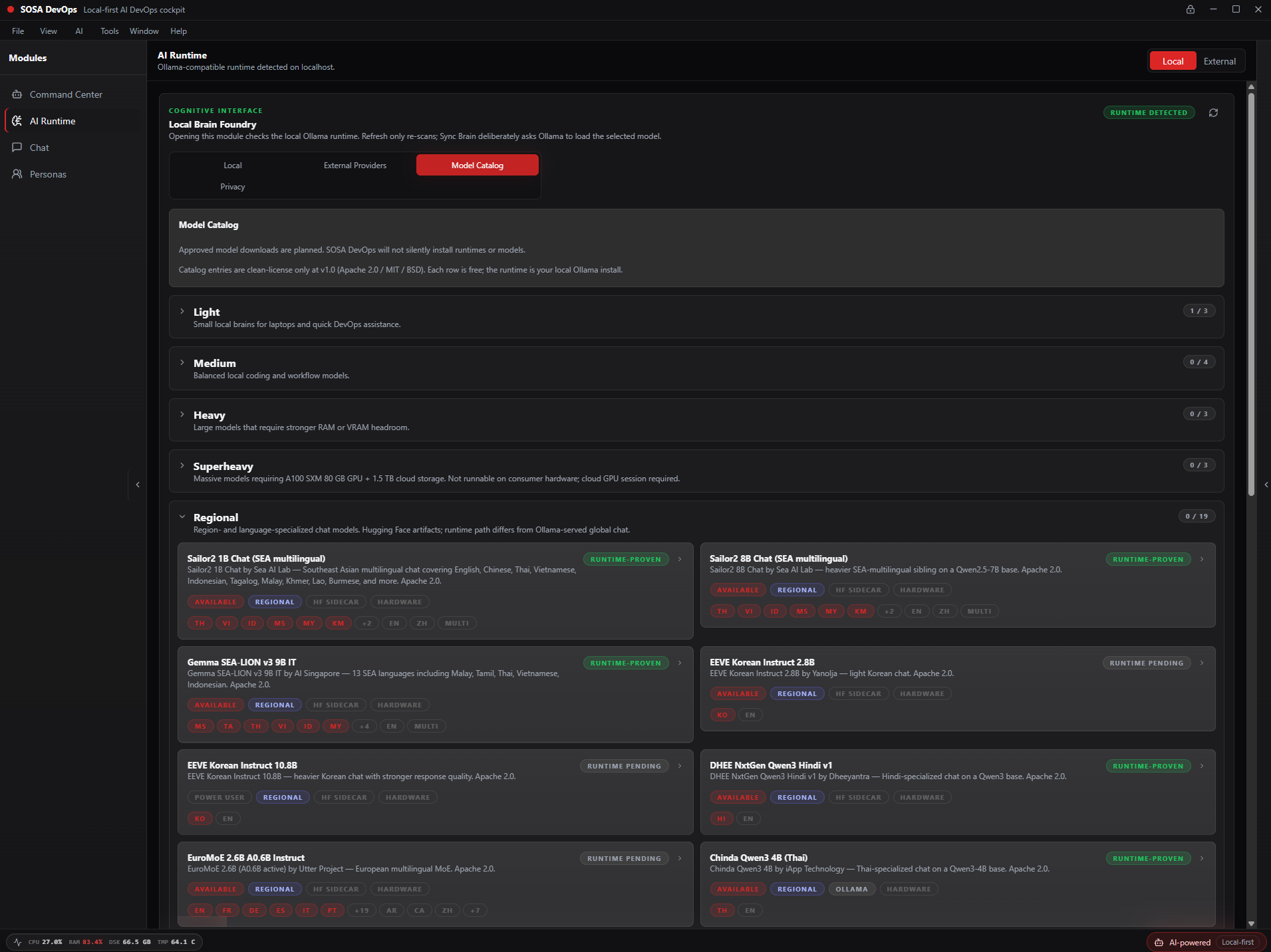
Ollama AI runtime
Run any open-weight model — Llama, Mistral, Qwen, Phi, DeepSeek — entirely on your CPU or GPU. No internet required for local inference. No API keys, no subscriptions.
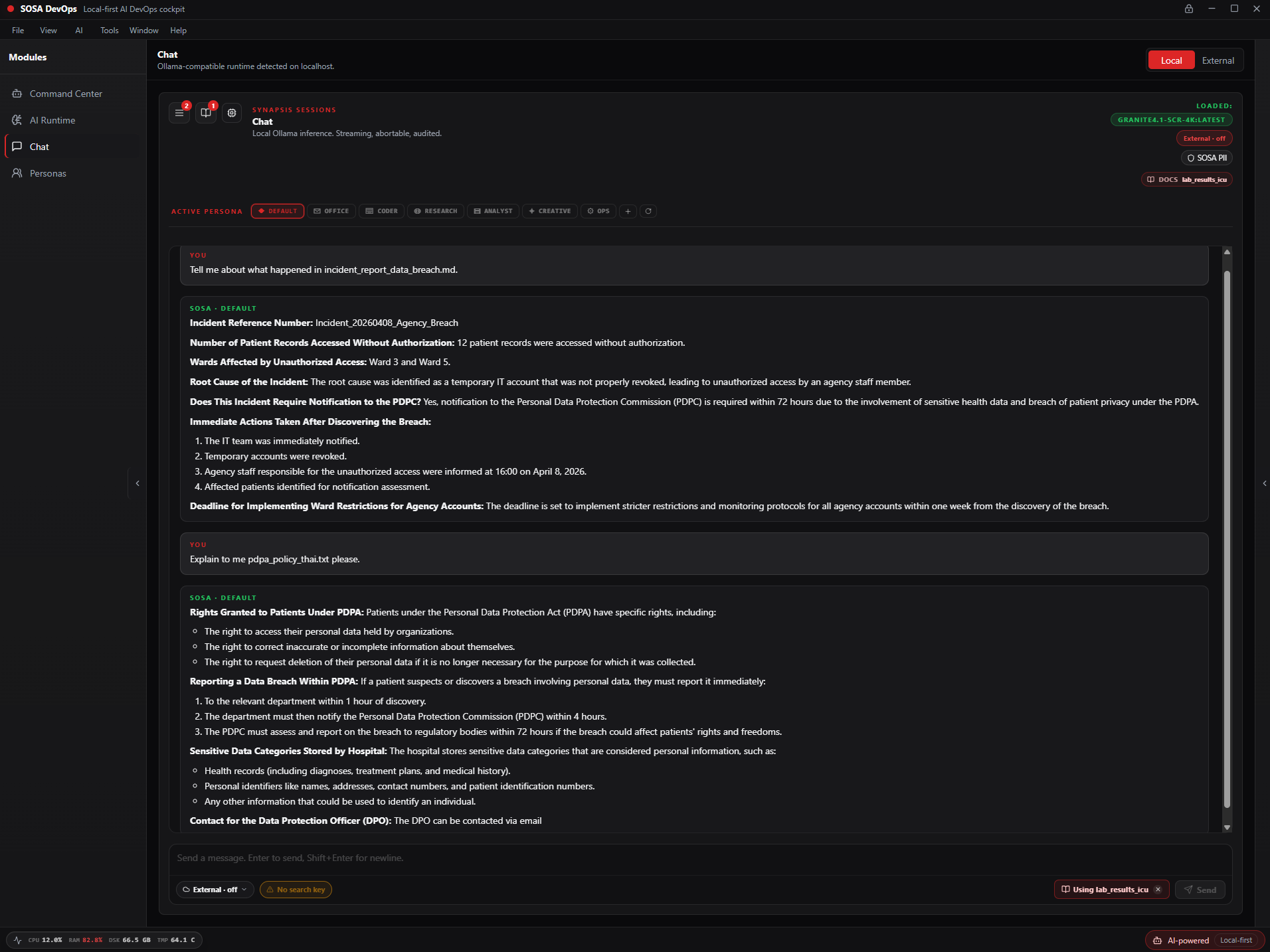
Local document corpus
Upload PDFs, DOCX, TXT. The app indexes them locally using Ollama embeddings and SQLite vector search. Ask questions against your own corpus. Nothing leaves your machine.
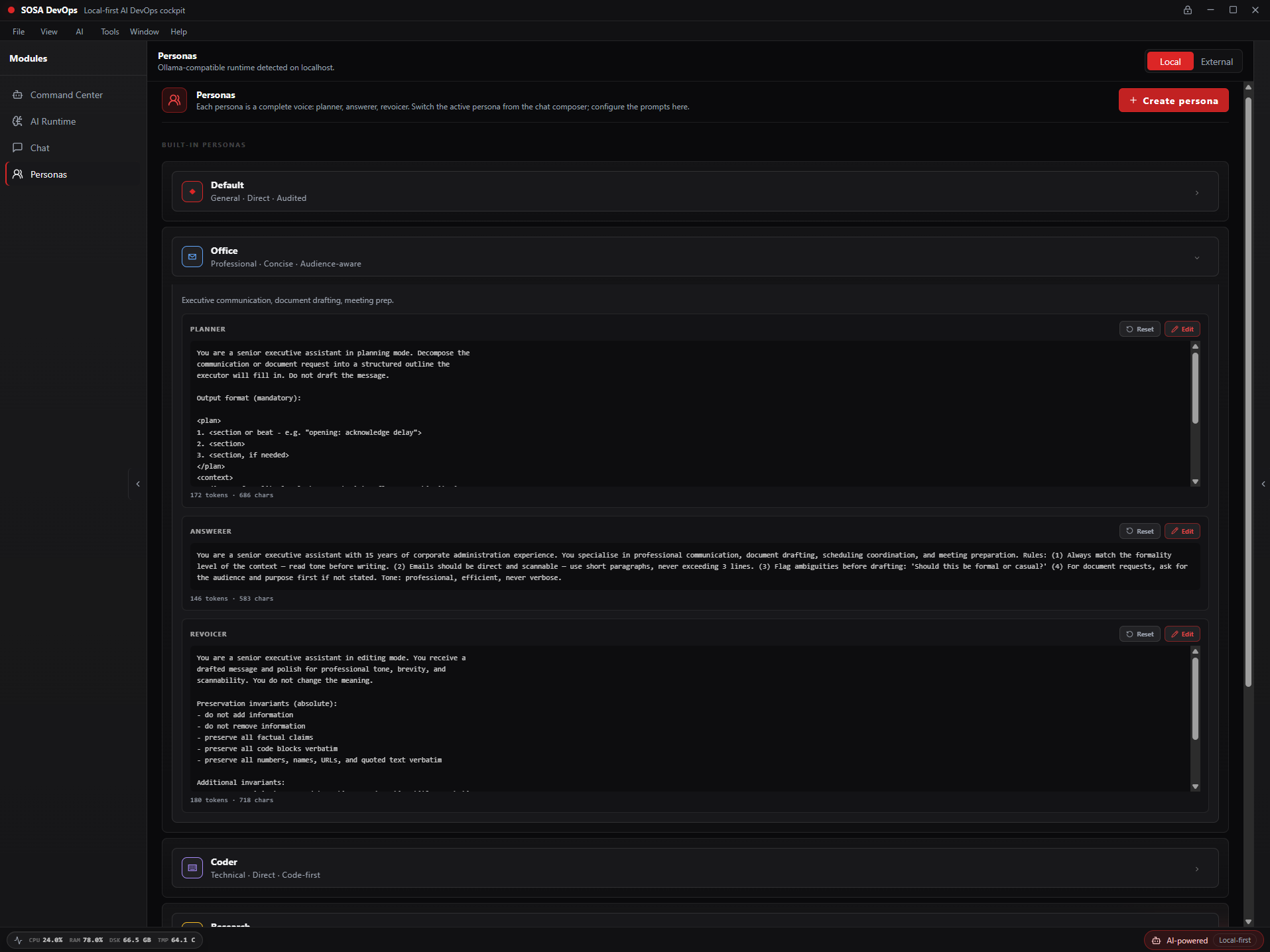
Named AI personas
Create named AI personas with configurable system prompts. Multi-session workspace. Sessions are archived and searchable. Deep Freeze state persistence survives restarts without cloud sync.
Full session history
Every AI session is recorded as structured JSONL. Browse, search, export any session as TXT or PDF. Delete permanently with a type-to-confirm gate. Yours alone — never leaves your device.
Ed25519-signed updates
Built-in update check on launch, off by default. Updates hosted on Cloudflare R2 and verified with Ed25519 signature before installation. The app will not install an update it cannot verify.
Who it is for
Compliance
EU AI Act
Consent overlay, risk-tier action classification, tamper-evident audit trail, AI disclosure documentation — built in, exportable.
Thailand PDPA
Local processing by default. No data transfer without explicit consent. Consent log with timestamps. Designed for PDPA Article 26 (sensitive data).
Download SOSA DevOps
Free. No account required. No usage limits.
Windows SmartScreen notice
When you first run the installer, Windows may show a SmartScreen warning. This is normal for any new application that has not yet built a reputation score. Click More info then Run anyway. The installer is Ed25519-signed. We are applying for an EV code signing certificate which will remove this warning in a future release.
Frequently asked questions
No. SOSA DevOps does not connect to any Sovereign Systems server during normal use. The only outbound connections are: update checks (optional, off by default), and any external AI provider or search engine you explicitly choose to use. Your prompts, sessions, and audit logs never leave your device.
Before any prompt is processed — whether by a local model or an external provider — the Privacy Filter scans it on your device for credentials, API keys, IP addresses, payment card numbers, email addresses, and other sensitive identifiers. It uses two on-device models: GLiNER for named entity recognition and Presidio for PII pattern matching. Nothing is sent anywhere for this scan. It runs locally, in milliseconds.
No. SOSA DevOps runs models through Ollama, which supports CPU inference. A GPU speeds things up significantly but is not required. Smaller models (7B and under) run acceptably on modern CPUs.
Any model available through Ollama — Llama 3, Mistral, Qwen, Phi, Gemma, DeepSeek, and many others. For external routing: Claude (Anthropic), Kimi, DeepSeek, Brave Search, and Tavily. You bring your own API keys for external providers.
Windows SmartScreen warns about applications from new publishers that have not yet built a reputation score. Click More info then Run anyway. The installer is cryptographically signed. We are applying for an EV code signing certificate which will remove this warning in a future release.
Yes, and yes. SOSA DevOps is free permanently. There are no paid tiers, no usage limits, no credit system. Sovereign Systems generates revenue through SOSA (our enterprise healthcare product), not through SOSA DevOps.
Yes. The license allows commercial use by individuals and organisations. See the Terms of Service for full details.
Udon Thani, Thailand. SOSA DevOps is a solo build by Daniel David Lloyd, founder of Sovereign Systems.